在After Effects中生成平滑弯曲的形状。与形状图层一起使用 并支持带有关键帧的动画。非常容易使用。Smooth Rounder generates smoothly curved shapes in After Effects. Works with Shape Layers and supports animation with keyframes. Very easy to use.
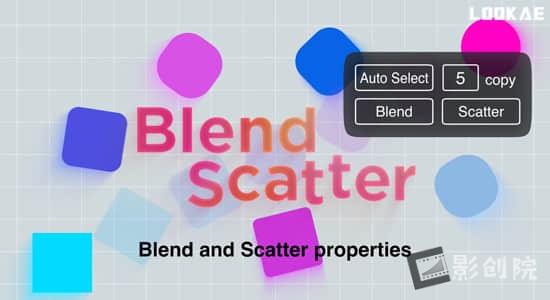
Now blend shapes easily in After Effects with many great features. Control the spine path the way you want them to blend and offset the paths easily. Create and animate beautiful loops.
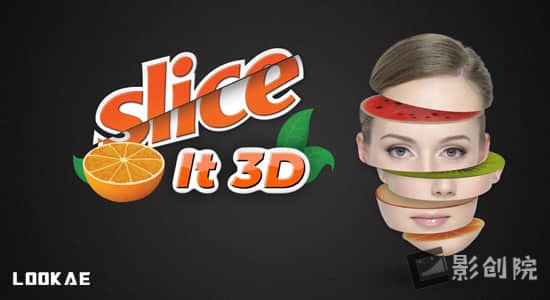
Using the same engine as Magnum, it scans the footage and removes the duplicate frames by using the layer’s time-remapping channel. This could come in handy on gameplay captures or roto jobs where the footage has funky pulldown or any other occasion where you need to remove duplicate frames from a clip.
脚本特征:
Keyframable Region of Interest 功能允许您指导检测应该发生的位置。
可选择使用 After Effects 的内置重新定时工具(像素运动和帧混合)将素材重新定时回原始长度
处理速度提高 50%
v3.3更新内容:将许可证框架更新至 v4.3.1;修复配置许可证服务器时本地许可证激活等问题
支持Win/Mac系统:2024, 2023, 2022, 2021, 2020, CC 2019, CC 2018, CC 2017, CC 2015
Create endless physical random animations. It also features a launcher function that allows you to execute 35 different tasks, such as composition creation, with a single click. Additionally, you can customize its behavior flexibly with over 40 settings, allowing for more efficient workflow.
Cyclops is an After Effects extension that makes showing off the null layers, motion paths, and layer bounding boxes behind your animation quick and easy.Screen recording software can’t guarantee an accurate capture which may ruin the time you spent perfecting your animation curves. Manually taking screenshots and stitching them together is slow and prone to mistakes like missing a frame or capturing a frame twice.Cyclops is the only way to create a pixel perfect capture of your animation while including those extra goodies.
捕获类型
仅渲染活动构图或整个After Effects应用程序。
完美像素
独眼巨人很聪明,每次都能帮助创建完美的渲染。
渲染类型
渲染普通视图或仅显示线框。在犁沟向塞斯大喊。
可自定义的首选项
自定义您的Cyclops首选项,提醒,警告等,以适合您的工作流程。
渲染格式
就像渲染引擎一样渲染JPG,PNG或TIFF图像序列。
支持Win/Mac系统:AE 2025, 2024, 2023, 2022, 2021, 2020, CC 2019
Geometrize! 是一款 Adobe After Effects 扩展,用于将图像几何化为各种形状。该软件仅使用几何图元(矩形、三角形和椭圆形)即可将图像重新创建为形状的抽象排列。给定一张需要重建的图像,Geometrize 会生成数百种随机形状,并反复改变这些形状,这是爬山优化方法的一部分。几何化算法在后台对数千种形状进行排序,只挑选出最适合的形状用于最终图像。
Geometrize! is an Adobe After Effects extension for geometrizing images into shapes. Using only geometric primitives (rectangles, triangles and ellipses) the software recreates images as abstract arrangements of shapes.
Given an image to recreate, Geometrize generates hundreds of random shapes and repeatedly mutates these as part of a hillclimbing optimization approach. Geometrization algorithm ranks thousands of these shapes behind the scenes, only picking the best-fitting shapes for use in the final image.
v1.1.0 更新内容:批处理工作区;形状几何控制。
支持Win/Mac系统:After Effects 2024, 2023, 2022, 2021, 2020, CC 2019, CC 2018
Easy Clones是为2D图稿构建的克隆系统,包括位图图层、矢量图层、形状图层和预压缩。脚本创建了一个灵活的克隆系统,允许您快速轻松地应用线和网格位置间距,为位置、缩放、旋转和不透明度属性添加随机性,添加随机颜色、可循环摆动、保持笔触宽度和内置延迟系统到您的动画。尽管该工具是为 2D 图稿而构建的,但也支持 3D 图层。
工作原理: Easy Clones 创建一个Clone Control Layer来控制基本属性(位置、缩放、旋转和不透明度),可以使用Easy Clones Effect 中的控制器进一步修改这些属性。图稿层被转换为 引用控制层的克隆,同时保持完全可控,允许您微调和定制动画。
A cloning system built for 2D artwork, including Bitmap Layers, Vector Layers, Shape Layers and Precomps.Easy Clones creates a flexible clone system that allows you to quickly and easily apply line and grid position spacing, add randomness to position, scale, rotation and opacity properties, add random colours, loopable wiggles, maintain stroke widths and an inbuilt delay system to your animations. Although the tool is built for 2D artwork, 3D Layers are also supported.
v2.1更新内容:
新功能列表: 巨大的性能提升 规模限制 新的滑块和复选框控制器,用于添加到克隆系统的附加属性
错误修复: 启用位置摆动时值加倍 为颜色控制器添加延迟
支持Win/Mac系统:AE 2024, 2023, 2022, 2021, 2020, CC 2019
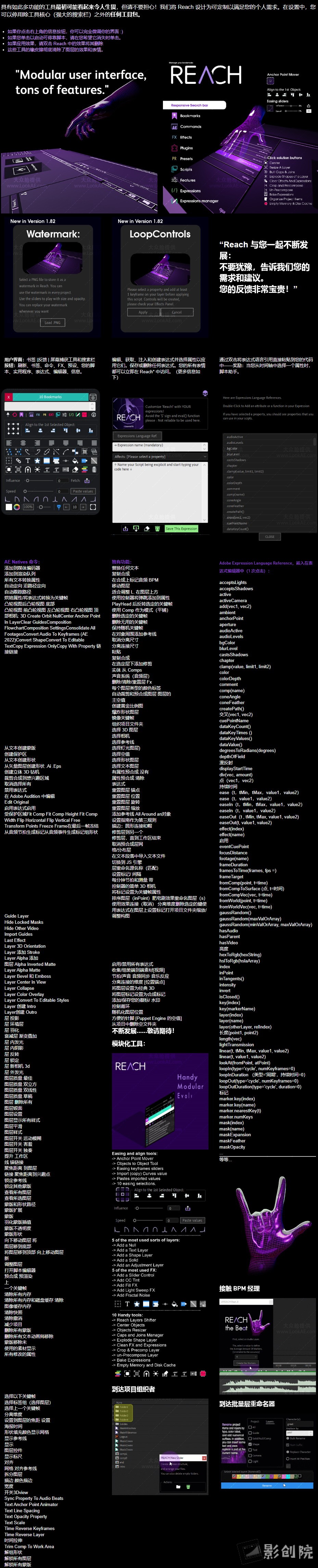
一个包罗万象适应性强且不断发展的工具集。它为After Effects工具包注入了一系列独特的 创新实用程序。从 初级到复杂,Reach将期望提升到非凡的境界。通过Reach简化复杂、简化繁琐并激发您的创造力-每个 After Effects 冒险家的典型伴侣。准备好使用 Reach AEssential 工具包提高 After Effects:Reach 使您可以轻松访问AE 中的各种功能,包括命令、效果、预设、扩展、插件和所有脚本。还有预写表达式、表达式编辑器、脚本助手和表达式存储功能。Reach 具有独特的功能,例如 用于管理图层、关键帧、颜色、音频同步、合成、优化、裁剪、反弹、木偶图钉、相机等的工具。 响应式界面还包括内置功能,例如锚点管理器、对齐工具、缓动滑块和快捷方式等。
Reach is an all-encompassing, adaptable, and ever-evolving toolset.It infuses the After Effects toolkit with a medley of uniquely innovative utilities. From elementary to intricate, Reach takes the expected and elevates it into the realm of the extraordinary. Simplify the complex, streamline the cumbersome, and catalyze your creativity with Reach – the quintessential companion for every After Effects adventurer.Get ready to raise After Effects with Reach AEssential kit:Reach gives you easy access to a wide range of functions within AE, including commands, effects, presets, extensions, plugins, and all your scripts. There are also pre-written expressions, an expressions editor, a Script helper, and a storage feature for expressions. Reach has exclusive features like tools for managing layers, keyframes, colors, audio sync, compositions, optimizations, crop, bounce, puppet pins, cameras, and more. The responsive interface also includes built-in features, for example, an anchor manager, align tools, easing sliders and shortcuts, and more.
Shy Bar是您掌握 After Effects 时间轴的关键。当您的项目充满层次时,这个强大的工具栏将成为您的首选盟友。它可以让您毫不费力地过滤掉杂乱的内容,只关注对您最重要的层。无论您是要制作角色动画并希望将特定的肢体动作归零,还是要处理无数的文本图层,Shy Bar 都能确保您只看到重要的内容。这是您获得简化、高效工作流程的门票,节省您的时间并让您的创造力大放异彩。使用 Shy Bar 释放 After Effects 项目的全部潜力 – 精确与简单的结合。
Shy Bar is your key to mastering After Effects timelines. When your project is bursting with layers, this powerful toolbar becomes your go-to ally. It lets you effortlessly filter through the clutter, focusing solely on the layers that matter most to you. Whether you’re animating a character and want to zero in on specific limb movements or dealing with a myriad of text layers, Shy Bar ensures you see only what’s essential. It’s your ticket to a streamlined, efficient workflow, saving you time and letting your creativity shine. Unleash the full potential of your After Effects projects with Shy Bar – where precision meets simplicity.
2.Shape Out Null 为形状内的每个形状组创建一个空值,您可以使用空值对所有形状进行动画处理,并将所有动画放回形状中。
3.形状键在当前最常用的形状属性中添加键。
4.Maintain Stroke 用于保持形状图层的描边宽度,即使图层或父级是缩放的。
5. 通过选择要显示的工具来排列面板
A script to help you go faster in your work with shape layers with a lot of different tools.
1.Anchor Shape Group: Choose what position you want for anchor point and the anchor will be relocate inside your shape group.
2.Shape Out Null create a null for each Shape Group inside a Shape, you can animate all the shapes with nulls and put all your animation back into your Shape.
3.Shape Keys adding keys at current time in any most use properties of shape.
4.Maintain Stroke for maintain Stroke Width of a shape layer even if the layer or the parents are scale.
5. Arrange your panel by choosing which tools to display
关键帧操作调节是一个艰难而耗时步骤。使用Kease脚本会让一切变得简单,这是一款小巧而强大的工具,虽然其最小的布局使其在您的 After Effects 工作区中显得谨慎,但其智能而强大的功能可帮助您更快地完成工作。
Keyframing is a tough and time-consuming routine. Make it simple with Kease, a small yet powerful tool available for Mac and Windows users. While its minimal layout makes its presence discreet within your After Effects workspace, its smart and powerful features help you get the job done faster.