轻松添加和管理图钉、标签和连接线,以创建视觉上引人注目的演示文稿。非常适合简化您的工作流程并提高生产力。简化您的工作流程并提升您的 Google Earth Studio 动画!
Introducing our After Effects script designed specifically for enhancing your Google Earth Studio exports. This powerful tool allows you to seamlessly add pins, labels, and connection lines, providing a professional touch to your projects.
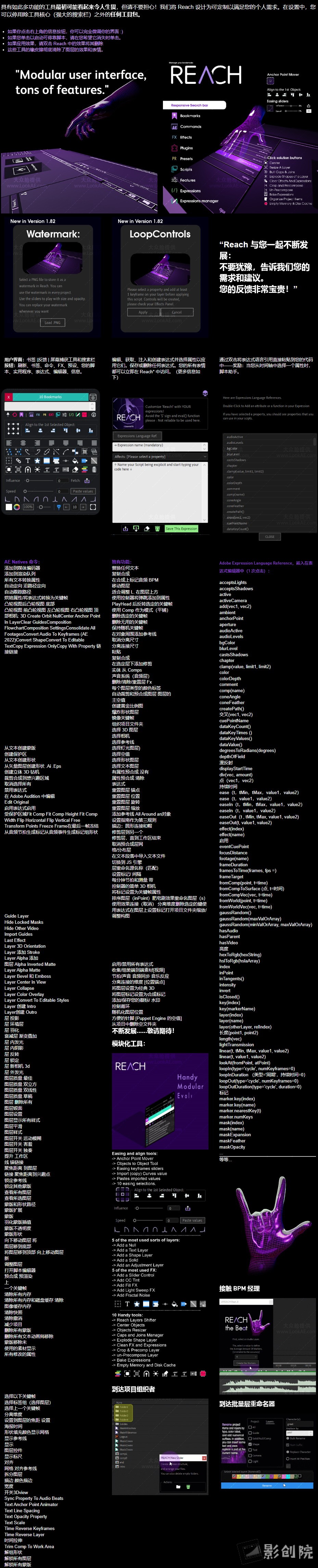
一个包罗万象适应性强且不断发展的工具集。它为After Effects工具包注入了一系列独特的 创新实用程序。从 初级到复杂,Reach将期望提升到非凡的境界。通过Reach简化复杂、简化繁琐并激发您的创造力-每个 After Effects 冒险家的典型伴侣。准备好使用 Reach AEssential 工具包提高 After Effects:Reach 使您可以轻松访问AE 中的各种功能,包括命令、效果、预设、扩展、插件和所有脚本。还有预写表达式、表达式编辑器、脚本助手和表达式存储功能。Reach 具有独特的功能,例如 用于管理图层、关键帧、颜色、音频同步、合成、优化、裁剪、反弹、木偶图钉、相机等的工具。 响应式界面还包括内置功能,例如锚点管理器、对齐工具、缓动滑块和快捷方式等。
Reach is an all-encompassing, adaptable, and ever-evolving toolset.It infuses the After Effects toolkit with a medley of uniquely innovative utilities. From elementary to intricate, Reach takes the expected and elevates it into the realm of the extraordinary. Simplify the complex, streamline the cumbersome, and catalyze your creativity with Reach – the quintessential companion for every After Effects adventurer.Get ready to raise After Effects with Reach AEssential kit:Reach gives you easy access to a wide range of functions within AE, including commands, effects, presets, extensions, plugins, and all your scripts. There are also pre-written expressions, an expressions editor, a Script helper, and a storage feature for expressions. Reach has exclusive features like tools for managing layers, keyframes, colors, audio sync, compositions, optimizations, crop, bounce, puppet pins, cameras, and more. The responsive interface also includes built-in features, for example, an anchor manager, align tools, easing sliders and shortcuts, and more.
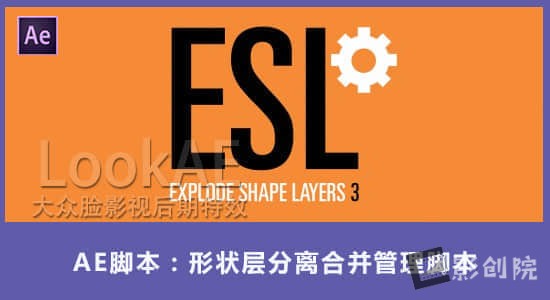
Do you deal with a lot of shape layers, or shape layers from Adobe Illustrator? Explode will take a shape layer and split each shape out into its own individual layer, for finer control & easier access. Alternatively, you can Merge multiple shape layers together into a new layer!
v3.5.4b 更新内容:
添加
添加了清单以便使用 aescripts 管理器应用程序更好地进行安装
支持 MacOS Monterey 及更新版本
更改
选项热键修饰符从“ctrl/meta”更改为“ctrl/meta AND alt”
更新许可框架;使在线激活期更加流畅
修复
CONVERT 图层不尊重单独切换
尝试 EXPLODE 1 个项目时出现错误消息
使用 EXPLODE 并选择路径形状时出错
支持Win/Mac软件:AE 2025, 2024, 2023, 2022, 2021, 2020, CC 2019, CC 2018, CC 2017, CC 2015, CC 2014
将各种淡入和淡出效果应用于 After Effects 图层,以完成您的日常任务和项目!告别 After Effects 中为淡入淡出图层设置关键帧不透明度的痛苦过程……尤其是在处理多层时。Fade It!可以非常快速、轻松且节省时间地淡化图层,它允许您在日常任务和项目中,只需单击一下 即可向 After Effects 图层添加各种可调节的淡入淡出过渡!只需选择图层,“ Fade It!”就会使它们淡入淡出。(无需关键帧)包含多种淡入淡出类型(即线性、缓和、闪烁和疯狂),为您提供多种选择。 您可以通过添加到图层的标记轻松调整过渡的持续时间。
Say goodbye to the painful process of keyframing opacity for fading layers in After Effects…especially when dealing with several layers.Fade It! is super fast, easy, and time-saving for fading layers.It allows you to add a variety of adjustable fade transitions to After Effects’ layers with just One click for your day-to-day tasks and projects!Just select layers, and Fade It! will fade them in and out.
支持Win/Mac系统: After Effects 2025, 2024, 2023, 2022, 2021, 2020
只需单击一下即可将各种动画箭头添加到您的线条路径中!告别在 After Effects 中创建动画箭头的痛苦过程……尤其是在处理多个箭头时。“Head to Line”对于创建可定制的箭头来说非常快速、简单且节省时间!只需绘制一些线条,“Head to Line”即可使它们成为动画箭头……只需单击一下!
Say goodbye to the painful process of creating animated arrows in After Effects…especially when dealing with several arrows.”Head to Line” is super fast, easy, and time-saving for creating customizable arrows!Just draw some lines, and “Head to Line” makes them animated arrows… with just One click!!
脚本特性:
用于制作线条动画箭头的 scriptUI 面板。
包含各种箭头(即三角形、星形、圆形和矩形),为您提供多种选择。
您可以随时反转动画方向或更改箭头类型或持续时间。
轻松更改箭头的大小和颜色。
选择箭头和动画持续时间, Head to Line只需单击一下即可完成剩下的工作,为您节省大量时间。
v1.1更新内容:修复了 AE 2025 的问题。
支持Win/Mac系统: After Effects 2025, 2024, 2023, 2022, 2021, 2020
我们在使用工程模板都时候会遇见打不开或者报错,这就是因为版本不兼容,有的模板使用低版本AE制作,在新版本AE无法正常打开。现在使用这个脚本可以将老版本AE模板工程更新升级,让新版本AE正常打开。需一键点击即可让它们摆脱困境!支持批量转换。Batch updates the version of AEP files to make them future-version compatible.
脚本特点:
使用简单:只需一键简单的界面
批量转换更新:选择并更新多个文件或整个文件夹和子文件夹,而不会被烦人的对话框中断
安全性:您可以保留或覆盖原始文件
组织:您可以为更新的文件添加自定义后缀
检测不兼容文件:检测并报告何时发现不兼容项目。例如 AEP 损坏或版本太旧
支持Win/Mac系统软件版本:
AE 2025, 2024, 2023, 2022, 2021, 2020, CC 2019, CC 2018, CC 2017, CC 2015, CC 2014, CC, CS6
这是一个 After Effects 脚本,它简化了动作设计师和动画师的常见工作流程步骤。只需单击一下,您就可以将所有选定图层的锚点和位置置于合成的中心。无需再进行手动调整!
One Click Center is an After Effects script that simplifies a common workflow step for motion designers and animators. With just a single click, you can center the anchor point and position of all selected layers within the composition. No more manual adjustments!
支持Win/Mac系统:After Effects 2025, 2024, 2023, 2022, 2021, 2020, CC 2019
All-in-one solution to separate masks into layers, rename them, crop precomps, and apply layer offsets with ease.Mask & Layer Splitter is an essential tool for After Effects users looking to simplify complex tasks and boost their productivity. This script offers a suite of features designed to easily handle common layer and mask management tasks. The script’s intuitive interface features a set of buttons, each dedicated to a specific task, ensuring a seamless user experience. Whether you’re working on a simple animation or a complex project, Mask & Layer Splitter will help you manage your layers and masks more efficiently, allowing you to focus on creativity rather than tedious tasks.
在 Skew 1 成功的基础上,Skew Pro 将您的工作流程提升到一个新的水平,因为它包含了 School of Motion 所说的所有功能,“这些工具确实值得投资。”有史以来第一次,我们重新设计的时间线完全支持关键帧,让您可以对动画进行出色的控制。
在 Skew Pro 中编辑时间线可轻松制作数百个关键帧的动画。您可以放心进行调整,因为您的愿景将以您想象的方式实现。
Skew makes adjusting layers in bulks extremely easy by letting you directly touch layers in its own dedicated timeline.A superpowered dedicated timeline that makes it extremely easy to sequence layers in After Effects, in almost any way you can imagine
2.0.2更新内容:
错误修复:建议每个人都进行此更新,以获得更流畅的体验。
修复了当关键帧设置为时间重映射属性时 Skew Pro 无法正常工作的错误
修复了一个错误:如果在复制图层后立即在 Skew Pro 的时间轴内添加关键帧,则关键帧不会显示在 AE 中
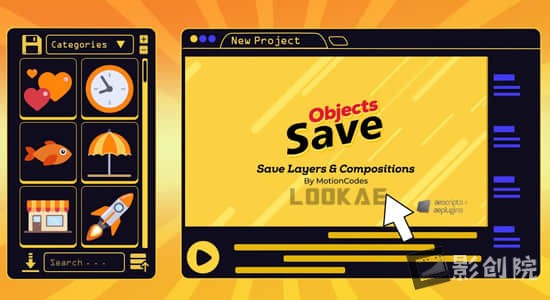
Save compositions, layers and properties with live preview.Presets, Fonts, Masks, Markers, Keyframes interpolation, Expressions and JSX code can also be saved with the ability to change all values.+ All files viewer.New Features: Folder Base Structure, Multiple Composition Saving, GIF Preview, Search Engine Improvement, Advanced Settings.
v2.1.3更新内容:修复了在某些 Windows 版本上加载扩展时出现的错误。
v2.1.3更新内容:修复了 Windows 上的一些问题。
支持Win/Mac系统:AE 2025, 2024, 2023, 2022, 2021, 2020, CC 2019
The most intuitive and easy way to create dynamic text boxes.Create a ready-to-use text box with a single click.Karton generates a new Shape Layer with a custom effect — no extra layers, no clutter.